AUTHENTIC Ancel AD410 Enhanced OBDII & EOBD Vehicle Code Reader Automotive Scanner Auto Check Engine Light Scan Tool

ANCEL AD410 OBDII Scanner
Where's the OBDII interface?
- The OBD2 port is often under the dash, or under a panel below the handbrake in the centre console.
How to get started?
- Simply plug into the OBD II port on your car and turn the ignition on and you ready to go.
Why I can't erase the fault code?
- The fault causing the fault code to show will need to be repaired first then code can be erased.
NOTE:
- Works on vehicle with 12V battery ONLY
- Must be 16 PIN OBD II protocol
Product Information
Product Information
Shipping & Returns
Shipping & Returns
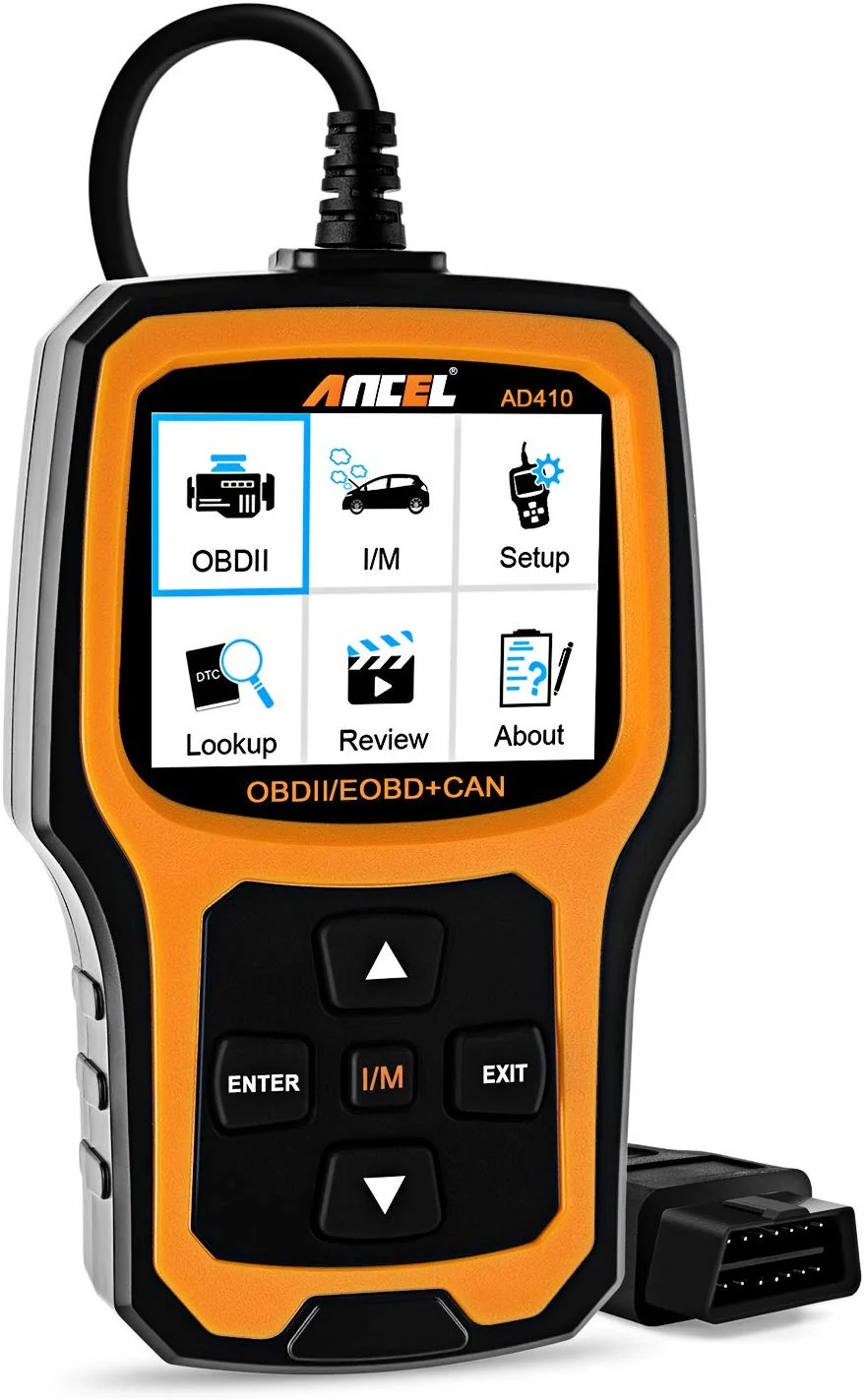
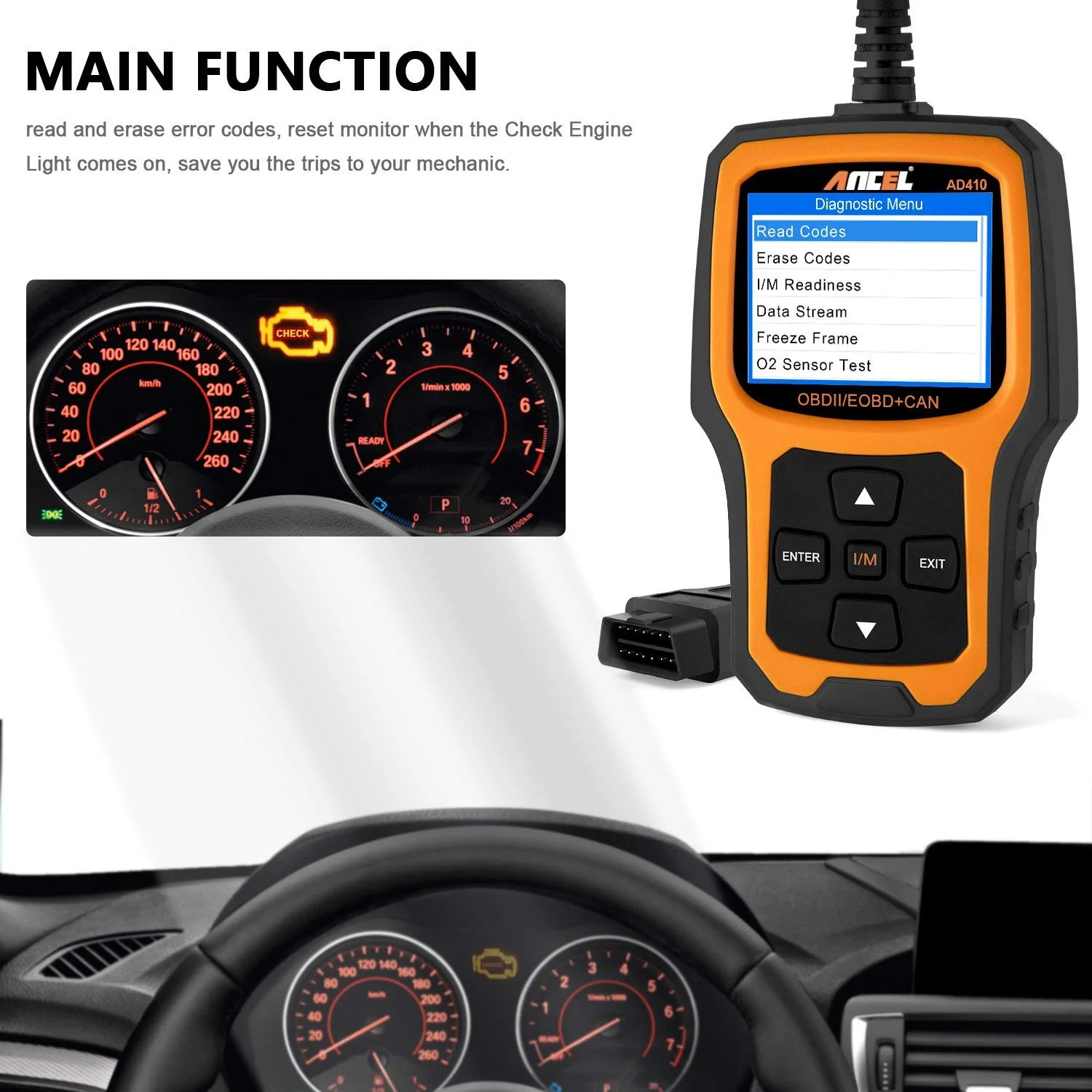
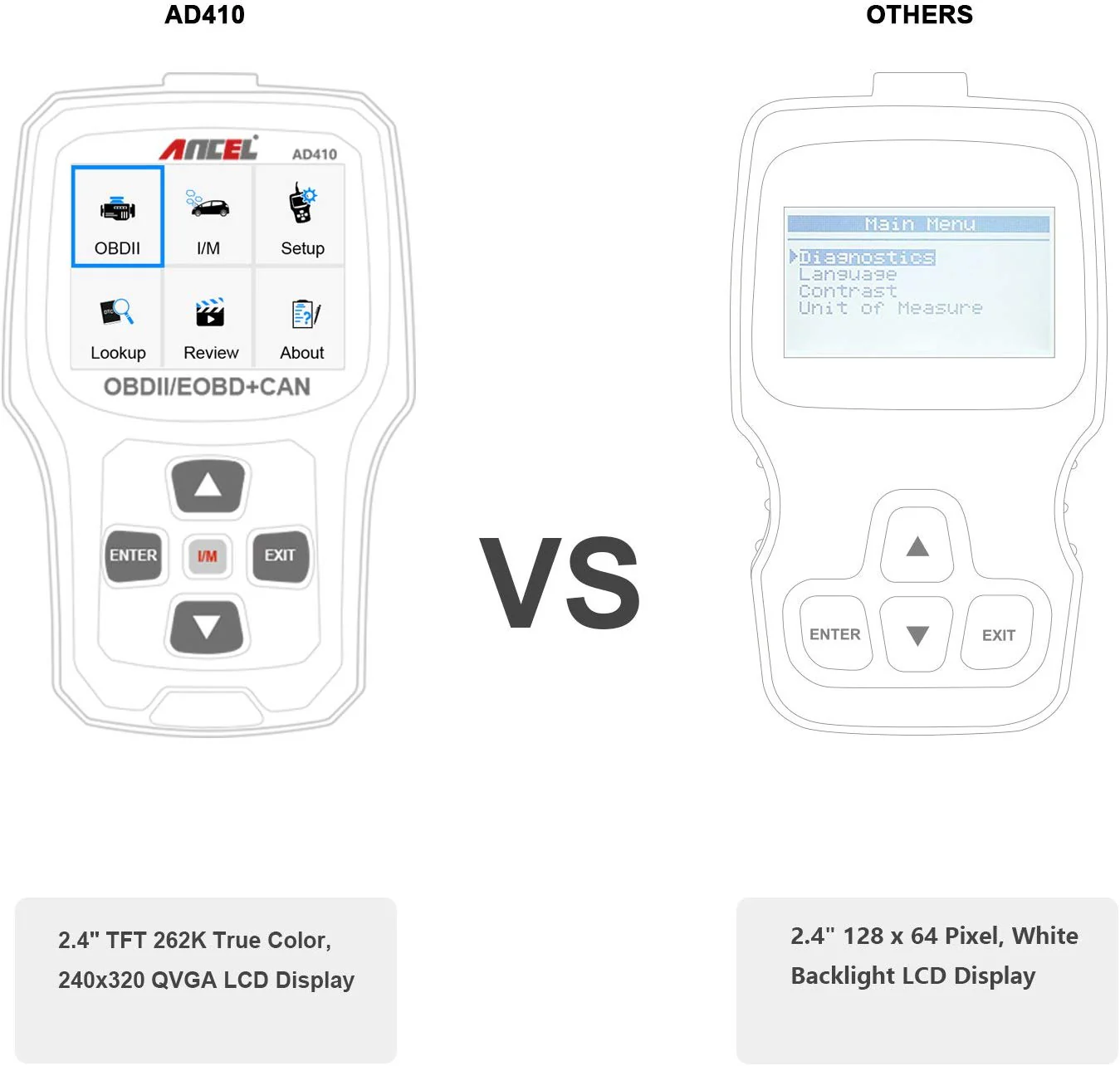
AUTHENTIC Ancel AD410 Enhanced OBDII & EOBD Vehicle Code Reader Automotive Scanner Auto Check Engine Light Scan Tool
AUTHENTIC Ancel AD410 Enhanced OBDII & EOBD Vehicle Code Reader Automotive Scanner Auto Check Engine Light Scan Tool
ANCEL AD410 OBDII Scanner
Where's the OBDII interface?
- The OBD2 port is often under the dash, or under a panel below the handbrake in the centre console.
How to get started?
- Simply plug into the OBD II port on your car and turn the ignition on and you ready to go.
Why I can't erase the fault code?
- The fault causing the fault code to show will need to be repaired first then code can be erased.
NOTE:
- Works on vehicle with 12V battery ONLY
- Must be 16 PIN OBD II protocol
$69.82
AUTHENTIC Ancel AD410 Enhanced OBDII & EOBD Vehicle Code Reader Automotive Scanner Auto Check Engine Light Scan Tool—
$69.82
Product Information
Product Information
Shipping & Returns
Shipping & Returns
Description
ANCEL AD410 OBDII Scanner
Where's the OBDII interface?
- The OBD2 port is often under the dash, or under a panel below the handbrake in the centre console.
How to get started?
- Simply plug into the OBD II port on your car and turn the ignition on and you ready to go.
Why I can't erase the fault code?
- The fault causing the fault code to show will need to be repaired first then code can be erased.
NOTE:
- Works on vehicle with 12V battery ONLY
- Must be 16 PIN OBD II protocol